


RocKnow: Rock ID & Collection
4.6152.00 Reviews
App Specs
- Version
- 1.1.42.0630
- Updated On
- License
- Free
- Downloads
- 50,000+
- Developer
- River Stone Tech
- Categories
- Lifestyle
- Platform
- Android
Screenshots
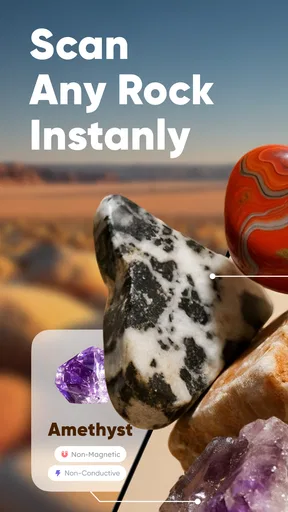
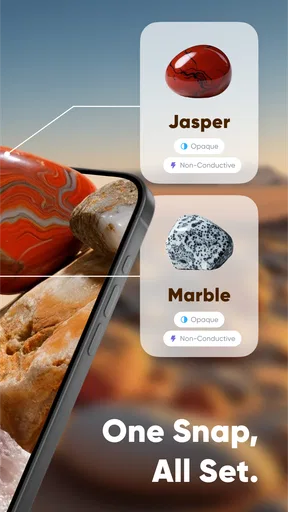
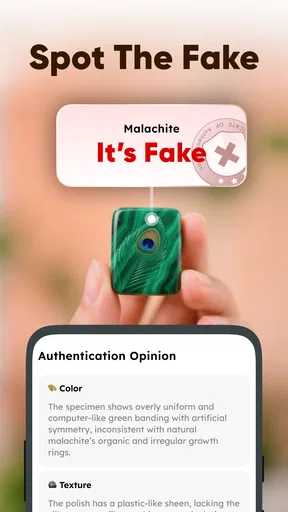
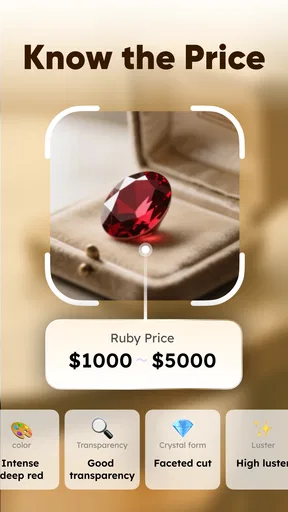
 Analysis by AppCompare
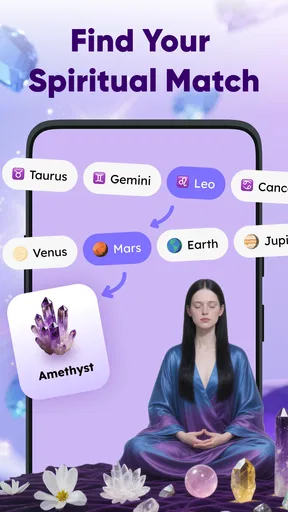
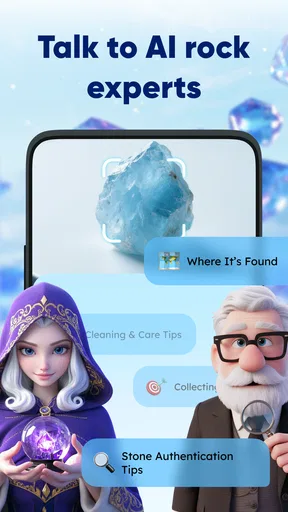
I approached RocKnow: Rock ID & Collection as someone who enjoys picking up interesting stones but does not have a geology degree. That is the audience this lifestyle app makes the most sense for: curious beginners who want a quick starting point when a rock catches their eye. Its central idea is simple—use a phone scan to help identify a specimen, then look at information connected with rarity, value, and authenticity.
My first impression was that RocKnow is best treated as a field companion, not a final scientific authority. It can help turn a vague “What is this?” moment into a more informed investigation, especially when I am outdoors, sorting a small collection, or deciding which specimens deserve closer research. The experience is approachable, but the quality of the result naturally depends on the stone, the photo, and how distinctive its visible features are.
River Stone Tech presents the app as a free Lifestyle download for everyone, with optional in-app purchases ranging from $3.99 to $79.99 per item. It has reached over 50 thousand installs and holds a 4.6 average from around 1.1 thousand ratings, which gives it a promising first impression without making it something I would accept uncritically. The current release is version 1.1.42.0630, and it works on Android 8.0 or later.
From installation to a useful first scan
I find the most useful way to begin with a rock identifier is to treat the first scan as a question, not a conclusion. This section walks through the small choices that make an image more informative, from preparing the specimen to deciding whether a result deserves a second look. That practical routine sets up a closer look at what the app is best suited to do.
What the app is really for
RocKnow is aimed at the gap between casual curiosity and serious collecting. If you find a colorful pebble on a walk, inherit a box of unlabelled stones, or buy a specimen at a market, the app offers a quicker first step than searching through dozens of images online. Instead of beginning with a broad phrase such as “green rock with white lines,” I can use the scan as a prompt for what to investigate next.
That distinction matters. A visual identifier can suggest likely possibilities, but it cannot replace a specialist examination when the exact mineral, treatment history, or market value matters. I would use the app to organize curiosity and narrow the search, not to make an expensive purchase decision on its own.
The value and authenticity angle also needs a sensible interpretation. Those topics are useful because collectors often want more than a name, but a phone-based result should be considered an initial indication. A stone’s price can change dramatically with size, clarity, condition, origin, treatment, and demand. Authenticity can involve details that a surface image simply cannot reveal. RocKnow is most helpful when it encourages better questions rather than pretending every specimen has an instant definitive answer.
Worth Reading Before You Choose

Flipboard Shows What News Apps Must Do Beyond the Feed

Switching to Android Auto Means Rethinking Your Driving Routine

Google Calendar Makes a Crowded Week Easier to Manage

Ludo King Makes the Most of the Minutes Between Plans

Baby Panda World Brings Quick Play to Modern Phones, but Its Game Library Feels Busy

ESPN’s Live Game View Makes Following Close Games Easier
Getting ready before the first scan
The smoothest first attempt starts with the specimen itself. I would wipe away loose dirt, place the rock on a plain surface, and use even light rather than a harsh flash or a dark room. A neutral background makes the outline and color easier to read. If the stone is wet, I would let it dry first, because moisture can temporarily change its shine and make an ordinary surface appear more distinctive than it is.
It is also worth preparing more than one view. A single top-down image may hide the grain, banding, crystal faces, or rough edges that separate similar rocks. I would begin with the clearest overall view, then repeat the process from another angle if the result feels too broad or surprising. This is one of the most useful habits for a first-time user: treat scanning as a small visual workflow, not as a one-button verdict.
Before relying on any result, I would also check that the phone is running a compatible Android release. The minimum requirement is Android 8.0, so older devices may be excluded even if they still handle other everyday apps. On a supported phone, keeping the lens clean and avoiding reflections should do more for the first result than trying to make the scene look elaborate.
The first successful action
For a reassuring first test, I would choose a stone with visible character rather than a completely plain gray pebble. A specimen with clear bands, strong color contrast, or an obvious crystal-like texture gives the visual system more to work with. I would position it so the whole object is visible, make sure the surface is not covered by fingers, and run the quick scan.
When the app presents an identification, I would read the surrounding information instead of stopping at the first name. The useful part is the combination of the likely identity with the discussion of rarity, value, or authenticity. Even if the first result is not exactly right, it can provide terms that make a later comparison more productive. I might search those terms in a field guide, compare the specimen with photographs, or ask a local collector for a second opinion.
A practical way to judge the result is to ask whether it matches what I can actually see. Does the suggested rock have the same visible structure? Is the color natural-looking or possibly caused by lighting? Are the apparent crystals really crystals, or just reflective chips? If the answer feels inconsistent, I would rescan under better conditions rather than immediately assuming the stone is unusual.
That approach also protects against a common beginner mistake: confusing confidence with certainty. A polished app interface can make an answer feel more definite than the evidence supports. I prefer to use RocKnow as the first checkpoint in a three-step process: scan, inspect, then verify. The app helps with the first step and can make the second more focused; the third remains my responsibility.
How I would use it in an everyday situation
Imagine finding a reddish stone beside a hiking trail and bringing it home because its surface has thin pale lines. I would brush off loose soil, let it dry, and photograph it against a plain background. If the initial scan suggests a family of minerals rather than one exact answer, that is still useful. I can compare the visible lines, hardness, luster, and texture with a reliable reference instead of searching randomly.
If I were sorting a family collection, I would use the same method to create a rough set of groups: likely quartz-like pieces together, dark fine-grained stones together, and uncertain samples in a separate pile. I would not label every box permanently after one scan. Instead, I would mark uncertain specimens for a second look. This turns the app into a simple triage tool, which is more realistic and more valuable than expecting it to replace a cataloging system.
For a marketplace purchase, I would be even more cautious. A scan might help me notice that a seller’s description deserves questions, but I would not use an app result as proof that a high-priced specimen is genuine. If authenticity affects the purchase, an experienced dealer or qualified specialist is the better option. RocKnow can help me prepare questions; it should not be the only evidence behind a financial decision.
Where first-time users may get confused
The word “value” can easily create the wrong expectation. In everyday collecting, people often mean either “interesting and uncommon” or “worth a specific amount of money.” Those are not the same thing. A stone can be relatively rare but have little demand, while a common mineral can be attractive and desirable in a particular form. I would read any value-related guidance as context, then consider condition, size, appearance, and the actual market before drawing conclusions.
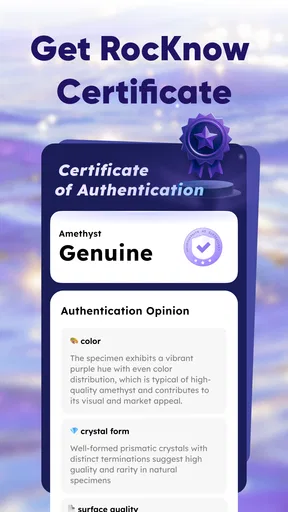
Authenticity is another area where restraint matters. A surface scan may help flag a possible match, but it cannot reliably settle every question about a treated, dyed, composite, or imitation specimen. If a rock looks unusually perfect, has an unnatural color, or comes with an ambitious seller claim, I would treat the app’s result as a reason to investigate further, not as a certificate.
There is also a basic photography issue that can make a normal specimen seem mysterious. Warm indoor bulbs shift colors. Direct sunlight can erase texture. A reflective surface can create bright spots that resemble crystals. I get better judgment by using soft, even light and repeating the scan when the first answer does not fit the physical object.
Another possible point of friction is the free-to-use model. The app can be installed without an upfront price, but optional purchases are available, and individual items can cost from $3.99 up to $79.99. I would check what is included before confirming anything and decide whether the app’s role in my hobby justifies an extra purchase. Someone who only wants occasional identification may be perfectly satisfied with a limited casual workflow, while a dedicated collector should examine the purchase screen carefully rather than assuming every useful detail is included at no cost.
Making the results more useful over time
My strongest recommendation is to keep a small record outside the scan itself. For each interesting specimen, I would note where it came from, when it was examined, what the app suggested, and which visible traits supported or contradicted that suggestion. Even a simple handwritten note can prevent two similar stones from being mixed up later. It also creates a trail of questions for future research.
Comparing repeated scans is another worthwhile technique. If the same clean specimen produces very different suggestions under similar conditions, I would lower my confidence and seek another source. If the suggestions remain consistent while matching the visible features, I would feel more comfortable using the identification as a working label. Consistency is not proof, but it is more informative than one isolated result.
I would also avoid scanning a whole handful of stones at once. The app’s purpose is clearer when one specimen fills the view. Mixed objects introduce ambiguity and make it harder to connect a result with the correct piece. For a collection, scanning individually may take longer, but it produces a much more usable starting inventory.
One non-obvious benefit is that the app can improve the questions I ask elsewhere. Instead of approaching a collector with “I found a strange rock,” I can say that the scan suggested a particular mineral group and explain which features made that plausible. That makes a conversation with an expert more efficient, even when the original scan turns out to be wrong.
How it compares with familiar alternatives
The usual alternative is a visual search engine. That can be excellent for finding similar images, especially when I already know the right descriptive words. Its weakness is that image matches can favor appearance over composition, and search results may mix educational pages, sales listings, and unrelated specimens. RocKnow is more focused on the identification task and connects the result with collector-oriented questions about rarity, value, and authenticity.
A printed field guide remains better when I want to learn methodically. A good guide explains hardness, streak, luster, cleavage, crystal form, and geological context—details that a quick scan cannot fully capture. It is slower, but it teaches me how to reason about a specimen instead of simply receiving a suggestion. I would use RocKnow for speed and a field guide for understanding.
Specialist communities and local rock clubs are stronger when the stakes are high or the specimen is unusual. Experienced people can notice texture, weight, source, and construction clues that are difficult to infer from a phone image. The trade-off is convenience: asking a person takes time, while a scan is available during a walk or while sorting a drawer at home.
In that comparison, RocKnow occupies a useful middle position. It is more directed than a general image search and faster than a full manual identification, but less authoritative than a specialist assessment. That makes it a good first tool for beginners and a handy second opinion for casual collectors, not a replacement for either serious study or professional evaluation.
Who will enjoy it, and who should skip it
I think the app is a good fit for someone who regularly notices stones outdoors, wants help starting a collection, or needs a quick way to put possible names beside unlabelled specimens. It is also suitable for families and younger users under supervision, since the content rating is Everyone and the interaction encourages observation rather than complicated technical work.
It is less suitable for a professional gemologist, a dealer making purchase decisions, or a collector who needs laboratory-level certainty. Those users may find a fast visual suggestion too limited for their standards. It is also not the right choice for someone who dislikes checking results against physical evidence. The app rewards curiosity and follow-up; it cannot remove the need for judgment.
I would be cautious about installing it solely because I expect every scan to reveal a valuable find. That mindset can make ordinary results feel disappointing and can encourage risky assumptions about price. The better reason to use it is that it makes the first stage of learning easier and gives a casual collection more structure.
My recommendation after using the workflow
RocKnow succeeds when I use it as a bridge between seeing a rock and understanding what to do next. The quick scan reduces the intimidation of beginning, while the attention to rarity, value, and authenticity gives the result practical context. Its free entry point makes experimentation easy, although I would review optional purchases carefully before spending anything.
The most reliable routine is straightforward: clean and dry one specimen, photograph it in even light, scan it from a clear angle, compare the suggestion with the physical features, and record uncertain results for later checking. That workflow turns a fast identification attempt into a useful learning habit.
My honest recommendation is to try RocKnow if you want a friendly first step into rock collecting, but keep a specialist guide or human opinion nearby for important decisions. It is approachable, focused, and potentially very handy on a walk or at the sorting table. Its real strength is not proving that every stone has a precise answer; it is helping me ask better questions about the stones I already find interesting.
Pros
- Identifies many rock types from a quick photo.
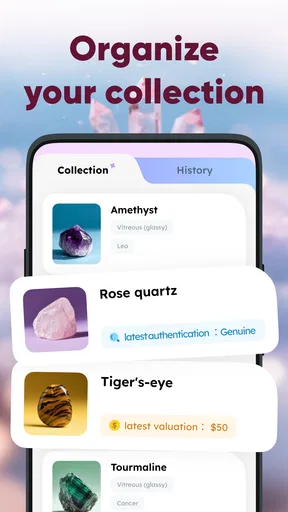
- Collection tools help organize and revisit identified specimens.
- Useful reference details support learning about rocks and minerals.
- Simple interface makes the app approachable for beginners.
- Can make outdoor walks and geology trips more engaging.
Cons
- Photo results may be less reliable with poor lighting or unclear samples.
- Some advanced information or features may require a subscription.
- Identification should be verified before using results for scientific purposes.
- The app may need internet access for complete identification details.
- Its database may not cover unusual or locally specific specimens.
FAQs for RocKnow: Rock ID & Collection
What is RocKnow: Rock ID & Collection used for?
RocKnow: Rock ID & Collection is designed for people who want to identify, learn about, and organize rocks and minerals. You can use the app to examine a specimen, review possible matches, and explore information about its appearance and characteristics. It is especially useful for beginners, collectors, students, hikers, and anyone who enjoys discovering geological samples in the field.
How does RocKnow identify rocks and minerals?
The app generally uses information from a photo, along with visual details such as color, texture, shape, and visible patterns, to suggest possible rock or mineral matches. For the best results, take a clear picture in good lighting and include the entire specimen when possible. Identification should be treated as an informed suggestion rather than a guaranteed scientific or professional analysis.
Can RocKnow identify every rock, crystal, or mineral accurately?
No identification app can reliably recognize every specimen, particularly when rocks look similar, are weathered, polished, dirty, or photographed in poor lighting. RocKnow can be a helpful starting point, but its results may require confirmation from a geology reference, museum, mineral expert, or laboratory. Do not rely on the app alone for valuable specimens, geological research, or safety-related decisions.
Does RocKnow: Rock ID & Collection require an internet connection?
Some features may work differently depending on the version of the app and the services used for image recognition or information retrieval. An internet connection may be needed to upload photographs, process identification requests, load detailed entries, or synchronize a collection. Before going outdoors, it is worth checking which content remains available offline and whether mobile data usage could apply.
Is RocKnow free to download, and are there in-app purchases?
The app may be available to download at no initial cost, but certain features, limits, premium information, or collection tools can depend on the current pricing model. Availability and subscription options may vary between Android and iOS and can change over time. Review the store listing and in-app purchase screen carefully before starting a trial or confirming a payment.


